Imagine you have a physical server with 8 CPU cores, 64 GB of RAM, and 2 TB of storage.
You install one operating system on it. That OS runs one application.
Your server uses about 15% of its CPU and 20% of its RAM.
The rest sits idle.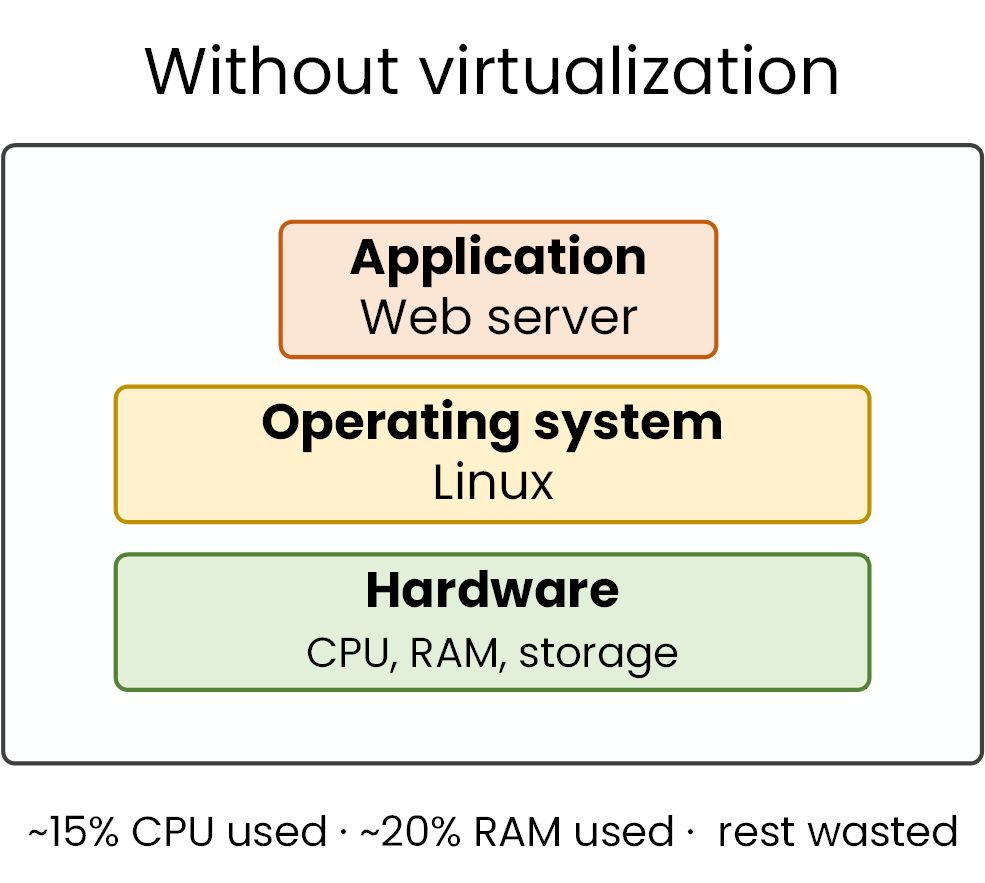
Figure 1 – Without virtualization
This is the problem that virtualization solves.
The Role of the Hypervisor
A hypervisor is the software layer that creates and manages virtual machines (VMs).
It sits between the physical hardware and the VMs, dividing the real resources into virtual ones.Each VM gets its own virtual CPU (vCPU), virtual RAM (vRAM), and virtual disk (vDisk).
From the VM’s perspective, it looks and behaves like a standalone physical machine.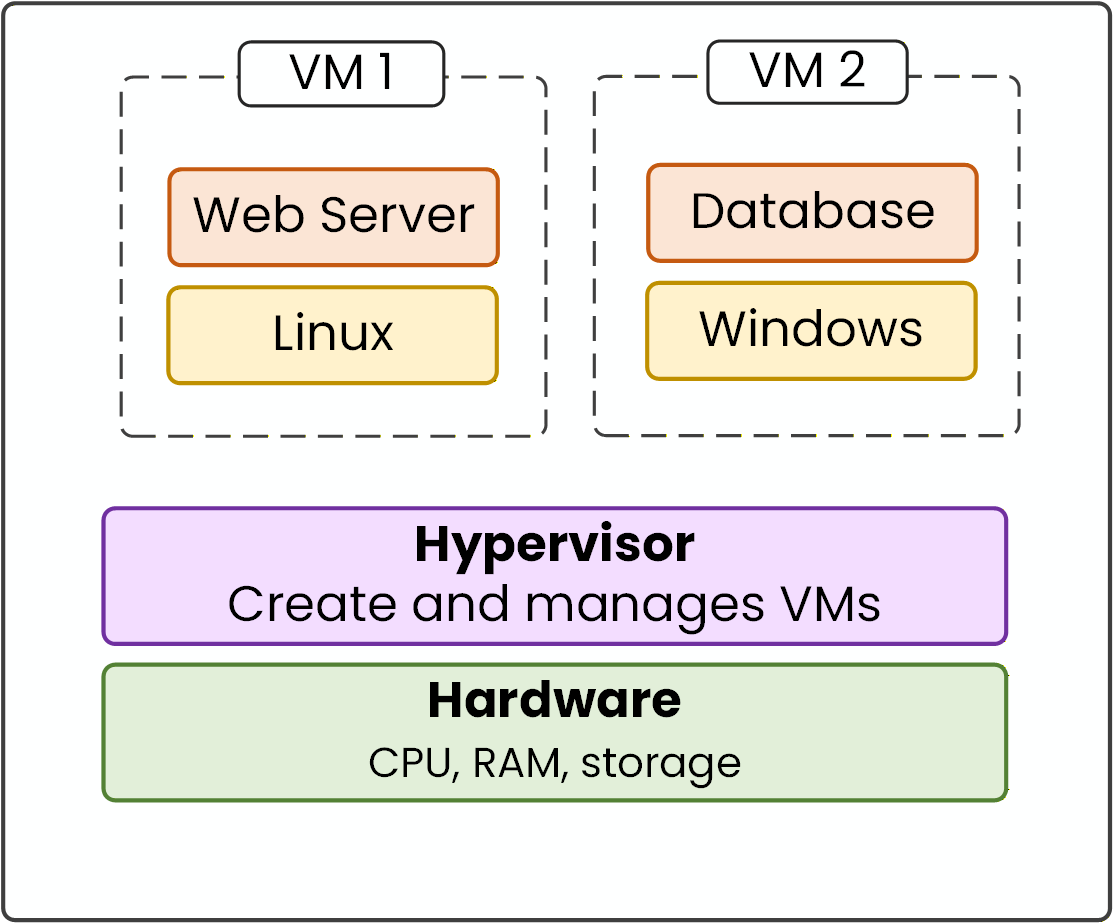
Figure 2 – Hypervisor creates VMs
You can run a Linux web server and a Windows database on the same physical hardware.
The VMs are completely isolated from each other.
If one VM crashes, the others keep running.Two Types of Hypervisors
Not all hypervisors work the same way.
The key difference is where the hypervisor sits relative to the hardware.
There are two types, and each one targets a different use case.Answer the question below
What does a hypervisor create and manage?
A Type 1 hypervisor installs directly on the physical hardware.
There is no host operating system underneath.
The hypervisor itself becomes the OS of the server.Direct Access to Hardware
With Type 1, your VMs communicate with the hypervisor.
The hypervisor then communicates directly with the CPU, RAM, and storage. There is no extra layer in between.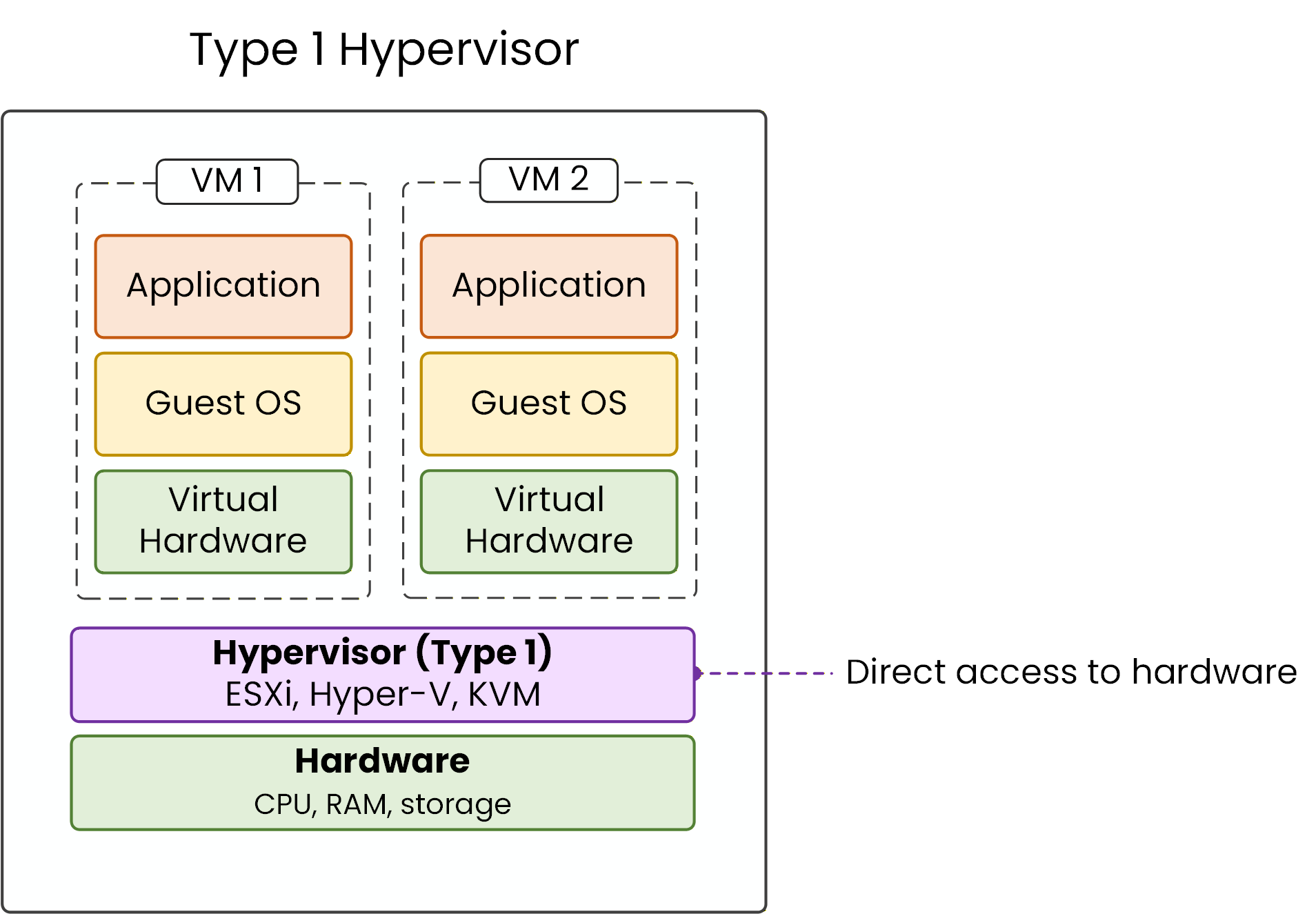
Figure 3 – Type 1 bare-metal architecture
This direct access means near-native performance.
Your VMs run almost as fast as if they had the hardware to themselves.Common Type 1 Hypervisors
The most common Type 1 hypervisors are:
40 % Complete: you’re making great progress
Ready to pass your CCNP exam?